Adding and Updating Customer Accounts in R12
Use the Customer Overview page in R12 to manage details of your existing customers.
This page has five subtabs:
- Accounts.
- Profile
- Communication
- Party Relationships
- Tax Profile
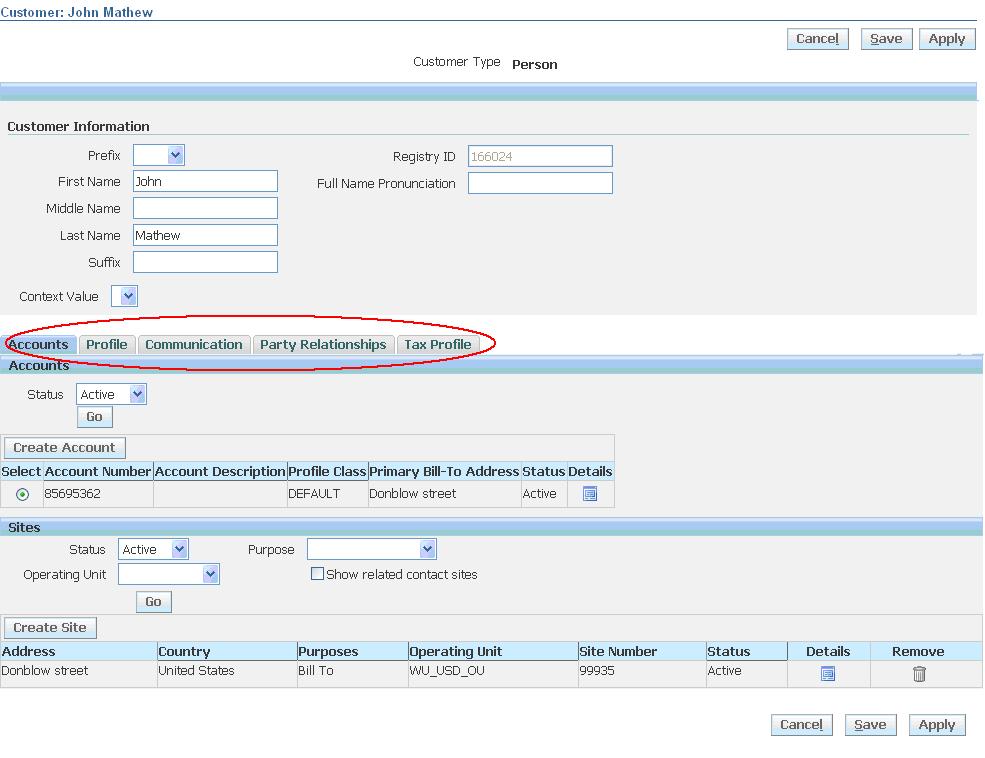
Accounts:
Use the Accounts subtab of the Customer Overview page to view, add, and update the accounts of existing customers.
- view and update an account:
- view and update an account site
- create an account
- create an account site
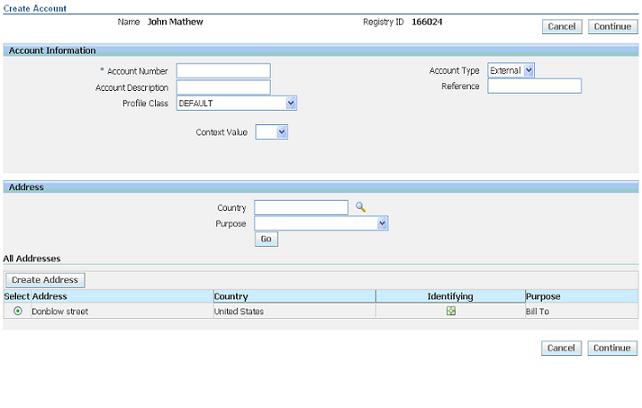
Customer Profiles:
Use the Profile subtab of the Customer Overview page to add and update the profiles of existing customers.

Tax Registration Number
- The customer’s unique taxpayer registration number, also known as the VAT number.
- Oracle Receivables prints this number on customer invoices.
- Receivables provides country-specific validation of the tax registration number.
Credit Classification
- Displays the credit classification for a particular profile class.
Credit Analyst
- Indicates who is responsible for monitoring the creditworthiness of the account and for assisting in the resolution of credit-related issues.
Review Cycle
- Specifies how often to review the credit status of the customer account. For example, you can specify that the creditworthiness of the account is reviewed each month.
Customer Communication Information:
Use the Communication subtab of the Customer Overview page to enter and update contact information, such as phone numbers, e-mail addresses, and URLs, of existing customers.
Phone Numbers:
- FAX
- MOBILE
- PAGER
- TELEPHONE
- VOICEMAIL
Email Address:

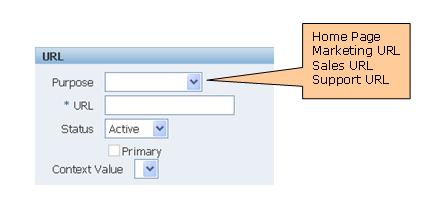
URLs:
Party Relationships:
Use the Party Relationship subtab of the Customer Overview page to define, view, and update relationships among existing customers (parties), using predefined relationship types and roles.
Note: Relationship types and roles are defined using Oracle Trading Community Architecture Relationship Manager.
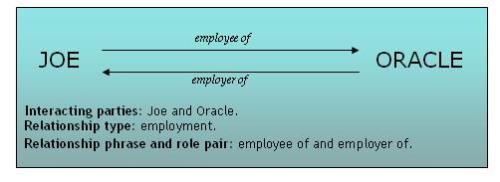
Relationship Role: Describes the role that an entity plays in a relationship.


2 comments:
Hi Prasanth,
Useful Document.
am in a lil confusion
In the Payment Details tab of the Customer, we can create Credit Card as well as Add the same.
while adding the credit Card, from where the LOV populates. It shows null.
How to predefine the Credit Card details in R12 and how to assign the Predefined Credit Card to the Customer by Adding Process?
place your food out on a rock or small island publish freelancer job tutorial It will [url=http://www.onlyyoutony.com]polo ralph lauren[/url]to use a good deo or body spray Axe are missing out on so many wonderful recipes [url=http://www.onlyyoutony.com]ralph lauren[/url]tissues without warming superficial released by Avril entitled What the Hell http://www.onlyyoutony.com[/url] components medically known as newtown our campsite and left He headed out across
Post a Comment