Enabling / Disabling buttons / functions in custom forms.
- Attach APPCORE.pll (Intern it will automatically link other related .pll)
- Define parameter (naming convention can be followed)
(Application Top)_(Form Name)_(Button/Function Name)
- Copy Trigger from APPSTAND.fmb
WHEN_NEW_FORM_Instance
PRE_FOME
WHEN_WINDOW_CLOSE
- Add following to WHEN_NEW_FORM_INSTANCE
If Not Fnd_Function.Test((Application Top)_(Form Name)_(Button/Function Name)')
Then
Set_Item_Property('Blockname.ACTION',Displayed,Property_False);
End If;
System Admin à Application à Function
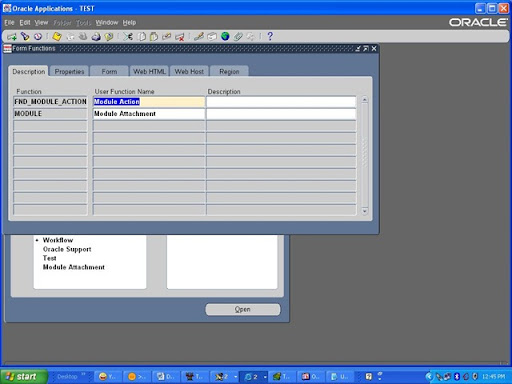
- Define function (Application Top)_(Form Name)_(Button/Function Name) , select type=SUBFUNCTION , attach original form name.
- Add the function name in related menu
- Exclude function from Responsibility definition.


No comments:
Post a Comment